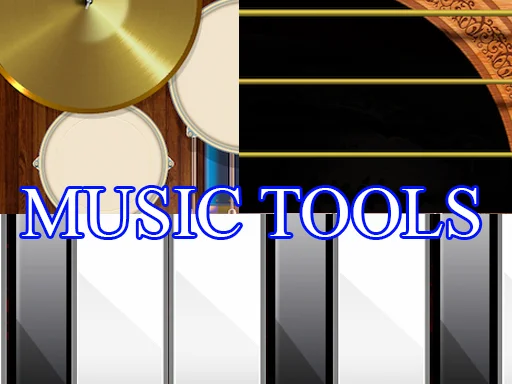
Music Tools
Click to play instantly
Music Tools
Music Tools
music-tools
Music Tools is an engaging educational game designed to introduce players to various musical instruments. Select an instrument—from piano to drums—and follow visual cues to extract sounds, weaving them into beautiful melodies. It's a fun, no-pressure way to start your musical journey instantly in your browser!
In the Music Tools game, we want to offer you to learn how to play various musical instruments. Images of instruments will appear on the screen in front of you and you select the one you will play on by clicking the mouse. Thus, you will be transported to the room where the musical instrument will be installed. You will need to follow the prompts to extract sounds from it that will add up to a melody. Once you play one instrument, you move on to the next.
How to Play
- 1Select your musical instrument of choice by clicking or tapping its image on the main screen.
- 2Enter the instrument room where the interactive instrument will be displayed.
- 3Observe the on-screen visual prompts that highlight the specific notes you need to play.
- 4Click or tap the corresponding parts of the instrument to produce the correct sounds and complete the required melody.
- 5Complete the melody successfully to unlock the next instrument and continue your musical exploration.
Frequently Asked Questions
More Related Games


You May Also Like
Speed Math

Upupa Bird Ninja

My Boo Virtual Pet
Snowman Escape 2

My Sugar Factory

African Princess Jigsaw

Sprunki Phase 13
Escape of Naughty Dog

Banana Joe

Kogama: Festival Park

Picture Slide

Princess Mermaid Accident ER
Comments
Leave a Comment
Loading comments...